

Two weeks ago we announced that Enersync is AI Ready. This article is the practical part: what is in the console, how to switch it on and how to use it well.
Where it is
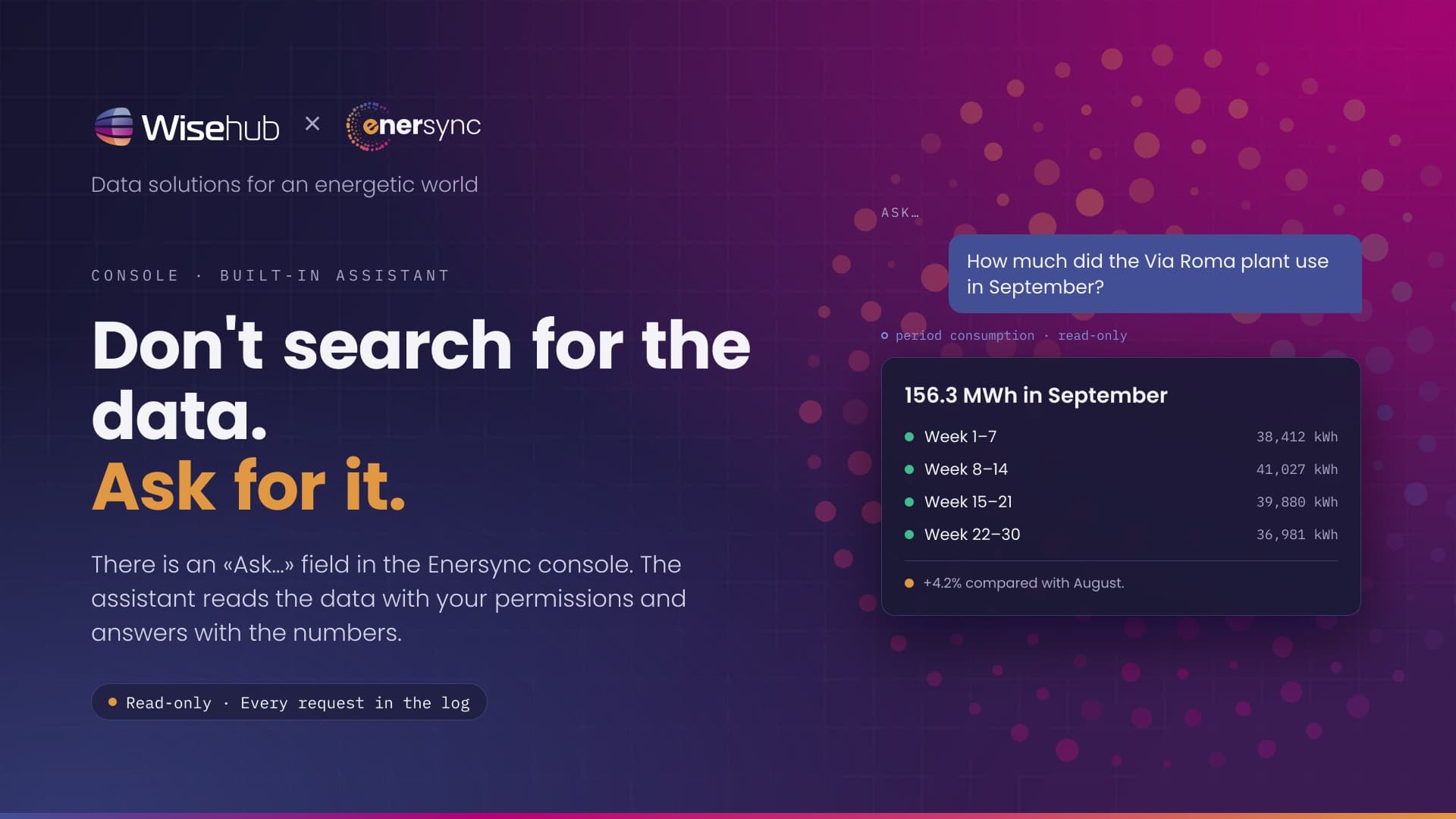
In the top bar of the console there is a field that says «Ask…». You type the question the way you would ask a colleague and press Enter. The assistant looks into the platform's data, answers with the numbers and points to the pages they come from. You can carry on the conversation with more questions; «New conversation» starts from scratch.
The field is available to every user from the user role up. Users with the guest role see it disabled.
How to switch it on
At the first question the console asks you to read the notice about the assistant and give your consent. It is a choice per user, not per company: everyone decides for themselves, and can withdraw it from the profile preferences. Until consent is given, the field sends nothing.
The reason is in the announcement: the assistant is the only feature of the platform that takes consumption data outside the European Union, and we want those who use it to know it and choose it.
What it can do today
Today's catalogue has three tools. It is growing, but we would rather say what is there than what is coming.
- Site list, with the status of the latest reading. For questions such as «which sites haven't sent readings since yesterday?» or «how many meters do I have in the North unit?».
- Consumption over a period, aggregated by day, week or month, for a single site or a group. «How much did the plant on Via Roma use in September, week by week?», «compare August and September for my three largest sites».
- Meter reconciliation: it compares the month-end registers with the sum of the load curve and tells you whether they match, using the tolerance you use for the reports. «Is the September reconciliation of the North substation meter fine?».
All read-only. The assistant does not change master data, does not trigger calls to the meters and does not send reports. If you ask it to, it tells you so.
How to ask questions that work
A few rules we learned by trying it.
- Name the site as you see it in the console. The name or label in the table: «MV substation North», «PV warehouse». If the name is ambiguous, the assistant asks which one you mean.
- Give the period. «In September», «over the last seven days», «from 1 to 15 October». Without a period, it takes the last month and says so.
- Say how to aggregate. «By day», «by week», «month total». It changes the shape of the answer.
- One question at a time. «September consumption and which sites are down» works, but two separate questions give cleaner answers.
- If the answer is partial, «Partial answer: narrow the question» appears below it. It happens with long periods over many sites: shorten the one or reduce the other.
Under every answer there is «What I did»: the list of reads the assistant ran to answer. It is the quickest way to check it looked in the right place.
The limits, stated plainly
- It sees only what your user sees: the same operating units, the same sites. Never another customer's data.
- Every request goes through the same APIs as the console and ends up in the audit log, under your name.
- There is a limit on requests per minute per user and per company. If you exceed it, the console tells you and asks you to wait a few seconds.
- The text of the conversations is not kept in our logs and is not used to train any model. The model runs in the United States: the details are in the privacy notice.
Where to start
Open the console, type in the «Ask…» field the question you would ask a colleague, and give your consent when asked. If there is a kind of question that finds no answer today, write to us: the tool catalogue grows from real questions.